
4. Learn.UQ (Blackboard)
Learn.UQ (Blackboard) is an online learning environment used for your course content. The name for the Blackboard platform at UQ is Learn.UQ. It may be referred to as:
- Learn.UQ
- Blackboard
- Learn.UQ (Blackboard).
Get started
Getting started with Learn.UQ has guides available to help you use Learn.UQ and complete a range of tasks. This guide provides a quick overview of the platform.

Learn.UQ (Blackboard) student welcome page (YouTube, 3m34s) explains how to navigate the Learn.UQ dashboard:
Courses page
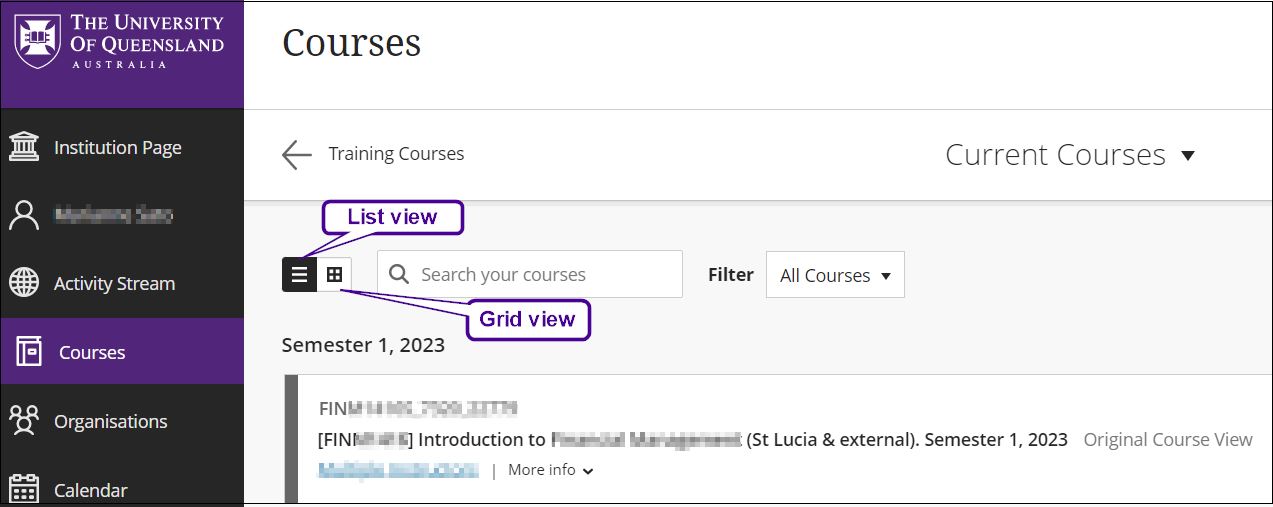
The landing page is Courses. You can view your courses in List view or Grid view. Click on a course title to enter a course.
Courses page content
Announcements
Important information from your course instructors.
Course Profile
Course description, assessment details and more.
Course Staff
Contact details for your course lecturers and tutor.
Course Help
Information about how to get help, with support details and links.
Learning Resources
May include Lecture recordings, Weekly folders, a Course Reading List to access the readings for your course, and Subject Guides to access subject specific resources.
Assessment
An Assessment summary and folders for each assessment task. Learn more about Learn.UQ assessment.
Discussion Board
Links to the discussion boards used in your course. In discussion boards, you can ask questions about assessment, discuss course content and submit answers to tutorial questions.
My Grades
Provides an overview of your grades for each assessment task in the course.
Library Links
Provides a link to the Library’s Services for Students page. Services provided by the Library include access to learning resources, past exam papers, IT help and training sessions.
Institution Page
The Institution Page contains:
- Service status – current and resolved service issues.
- A Spotlight – key information. You may need to scroll to view them all.
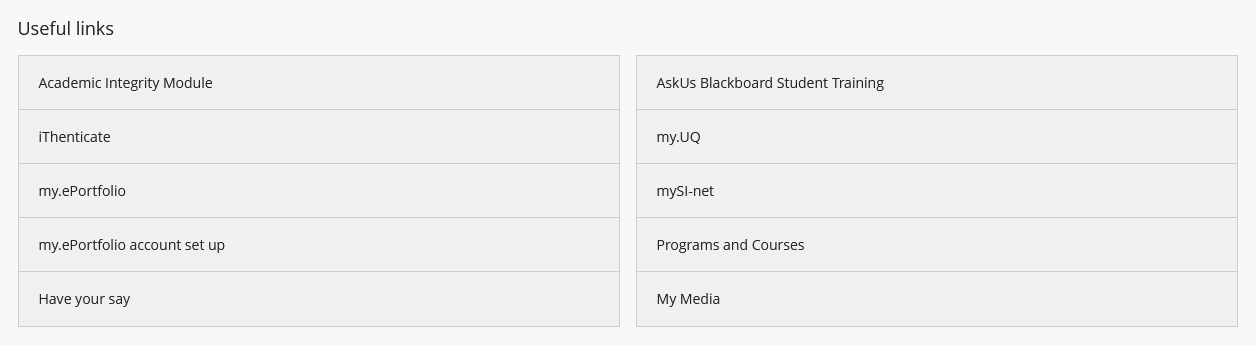
- Useful links – Academic Integrity Module, my.UQ, mySI-net and more.
 Troubleshooting
Remember the tips from Check your IT set up:
- Some content in Learn.UQ may require you to enable third party cookies in your browser.
- Try clearing your cache if the page won’t load or the information appears to be incorrect.
 Check what you know